Case Study | Product UI Engineering and Automation Systems
No-Code Workflow Automation
A short-term consulting engagement with Atlassian, that focused on shipping UI code and interaction logic for a no-code automation platform embedded inside a widely used productivity product. The work enabled non-technical users to automate repetitive actions through rules, triggers, and commands without writing code.
Explore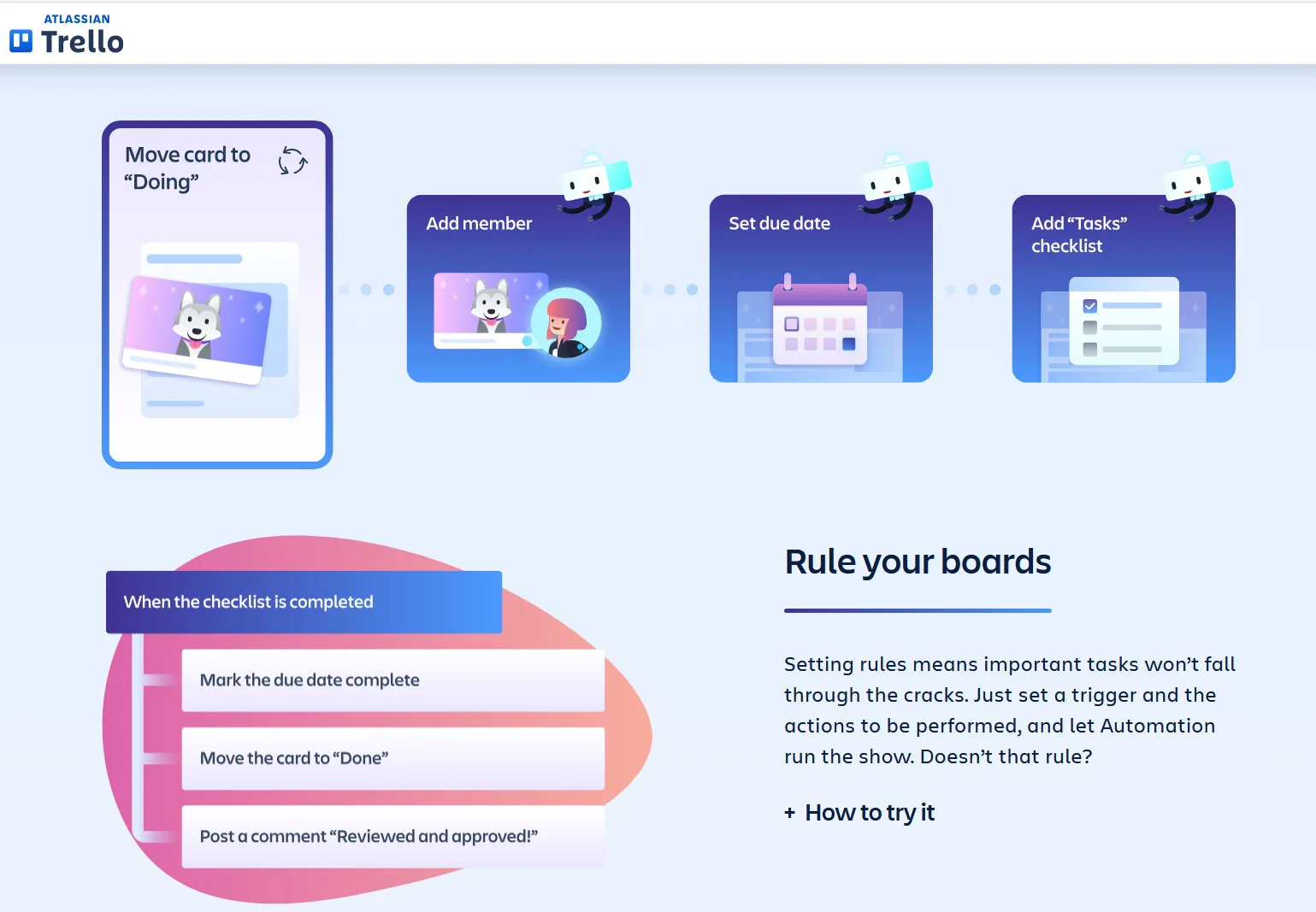
At a glance
Product surface shipped
Delivered production UI code for core automation surfaces, translating design intent into scalable, maintainable front-end components used by millions of users.
Complex logic, simple mental model
Helped make conditional automation logic approachable by supporting clear visual hierarchy, progressive disclosure, and predictable interaction patterns.
Cross-functional delivery
Collaborated closely with product designers, engineers, and product managers to ship UI changes quickly within an established design system and codebase.
Context
Automation for non-technical users
No-code automation products sit at a difficult intersection. They must expose powerful logic while remaining understandable to users who do not think in code, conditions, or scripts. This work focused on ensuring the UI communicated cause and effect clearly, reduced intimidation, and encouraged experimentation without fear.
My role
UI implementation consultant
Brought in as a short-term consultant to support the automation initiative by implementing UI code across key product surfaces. The role emphasized execution, consistency, and velocity inside an existing system.
Design-to-code translation
Worked from established design direction and patterns, focusing on faithful translation into production-ready components while preserving usability, accessibility, and interaction quality.
System overview
Rules, triggers, and actions without code
Rule-based automation
Users can define conditions that watch for specific events, then automatically execute one or more actions. The UI makes the relationship between trigger and outcome explicit, helping users understand what will happen before enabling automation.
One-click commands
Supported interaction patterns that allow users to bundle multiple actions into a single button or command, reducing repetitive manual work and speeding up common workflows.
Progressive disclosure
Advanced options are revealed only when needed, preventing novice users from feeling overwhelmed while still supporting power-user customization.
Human-readable logic
Automation steps are presented in plain language, reinforcing confidence and reducing errors caused by misunderstanding abstract system behavior.
UX considerations
Designing trust into automation
Automation introduces risk if users do not fully understand what a system will do on their behalf. The UI emphasizes clarity, previewability, and reversibility so users feel safe enabling automation on important work.
Predictability
Clear sequencing and consistent patterns help users mentally simulate outcomes before committing changes.
Feedback loops
Visual confirmation and status indicators reinforce when automations are active, completed, or modified.
Error prevention
Guardrails in the UI help prevent conflicting rules, unintended loops, or destructive actions.
Impact
Empowered non-technical users
Enabled users without engineering backgrounds to automate meaningful portions of their daily work, increasing efficiency and reducing manual error.
Scaled product value
Automation increases the stickiness and long-term value of the core product by adapting to diverse workflows without requiring custom development.
Shipped under real constraints
Delivered production-ready UI code quickly inside an existing ecosystem, balancing speed, quality, and maintainability.
Disclosure
Collaborative product work
This engagement represents collaborative product development within a larger cross-functional team. The case study focuses on UI implementation, systems thinking, and UX contribution rather than sole ownership of visual design. Additional technical detail is available during interviews.